

System tools · Windows 10 & 11
Disk Drive Cleaner Pro
Where did my space go? Now you will see.
One scan shows what takes up space and what changed today. Cleanup is safe, private and needs no admin rights.
Disk Drive Cleaner Pro
Try it free
1
scan to see your whole disk
100%
of deleted files go to the Recycle Bin first
25
interface languages
0
requests for administrator rights
Overview
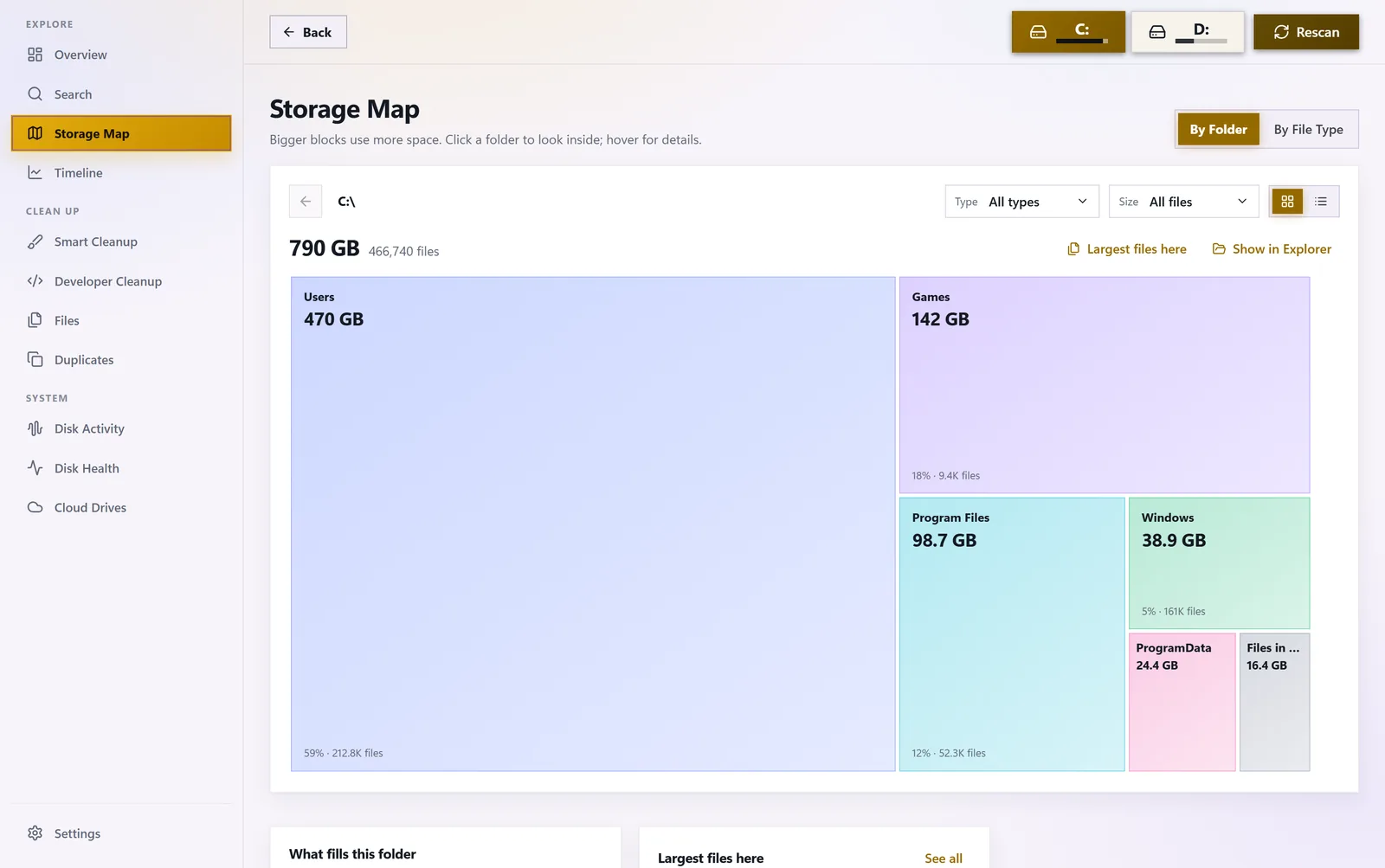
01 — STORAGE MAP
Every folder at a glance
Bigger blocks mean more space. Click a folder to go deeper — by folder or by file type.
- View by folders or file types
- Type and size filters, jump to File Explorer
- The largest files in every folder
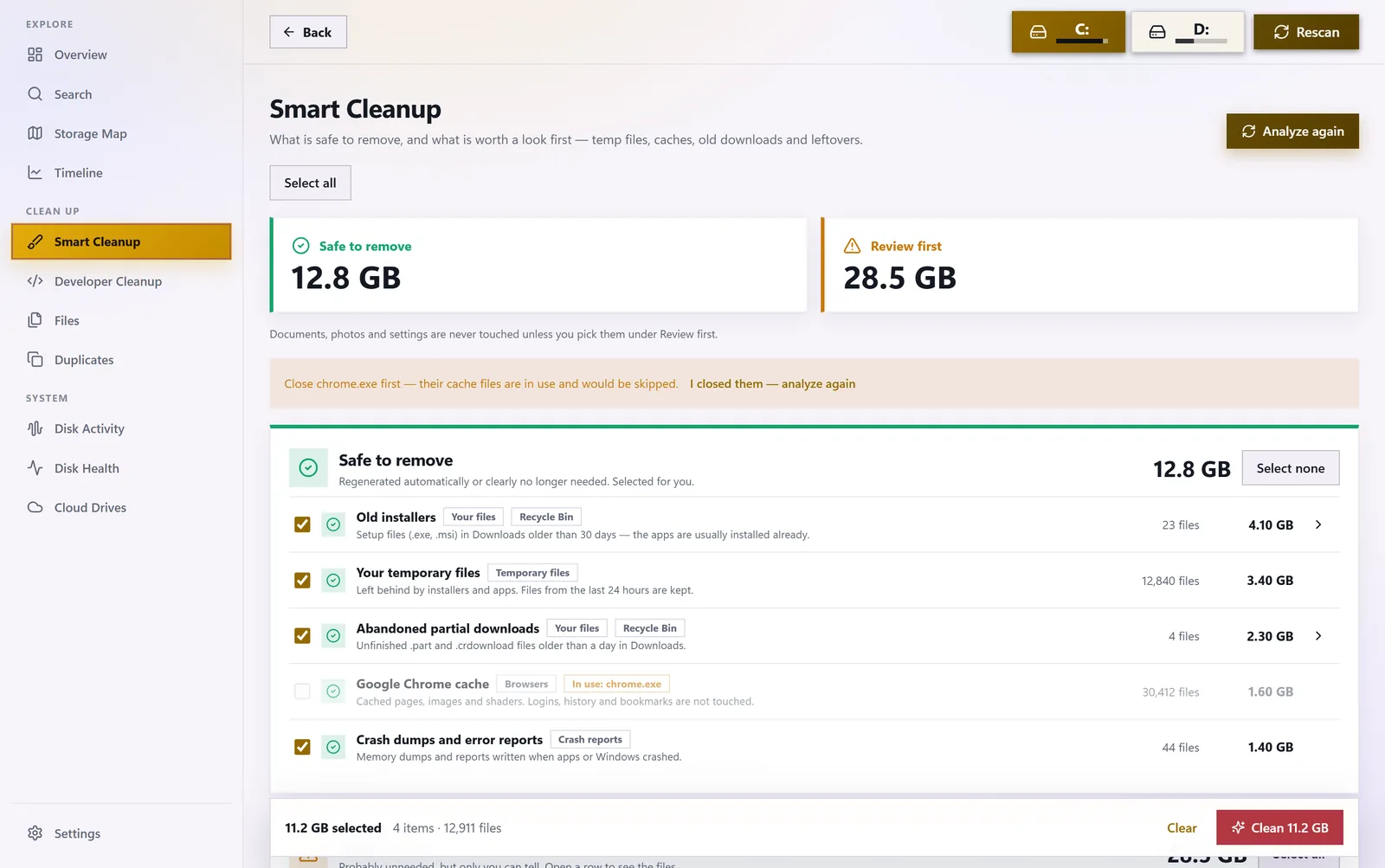
02 — SMART CLEANUP
Free up space safely
Temporary files, caches, crash dumps, old installers and program leftovers, sorted into safe and worth a look.
- Files go to the Recycle Bin and are never deleted instantly
- Caches of running programs are skipped
- Optional weekly cleanup with history
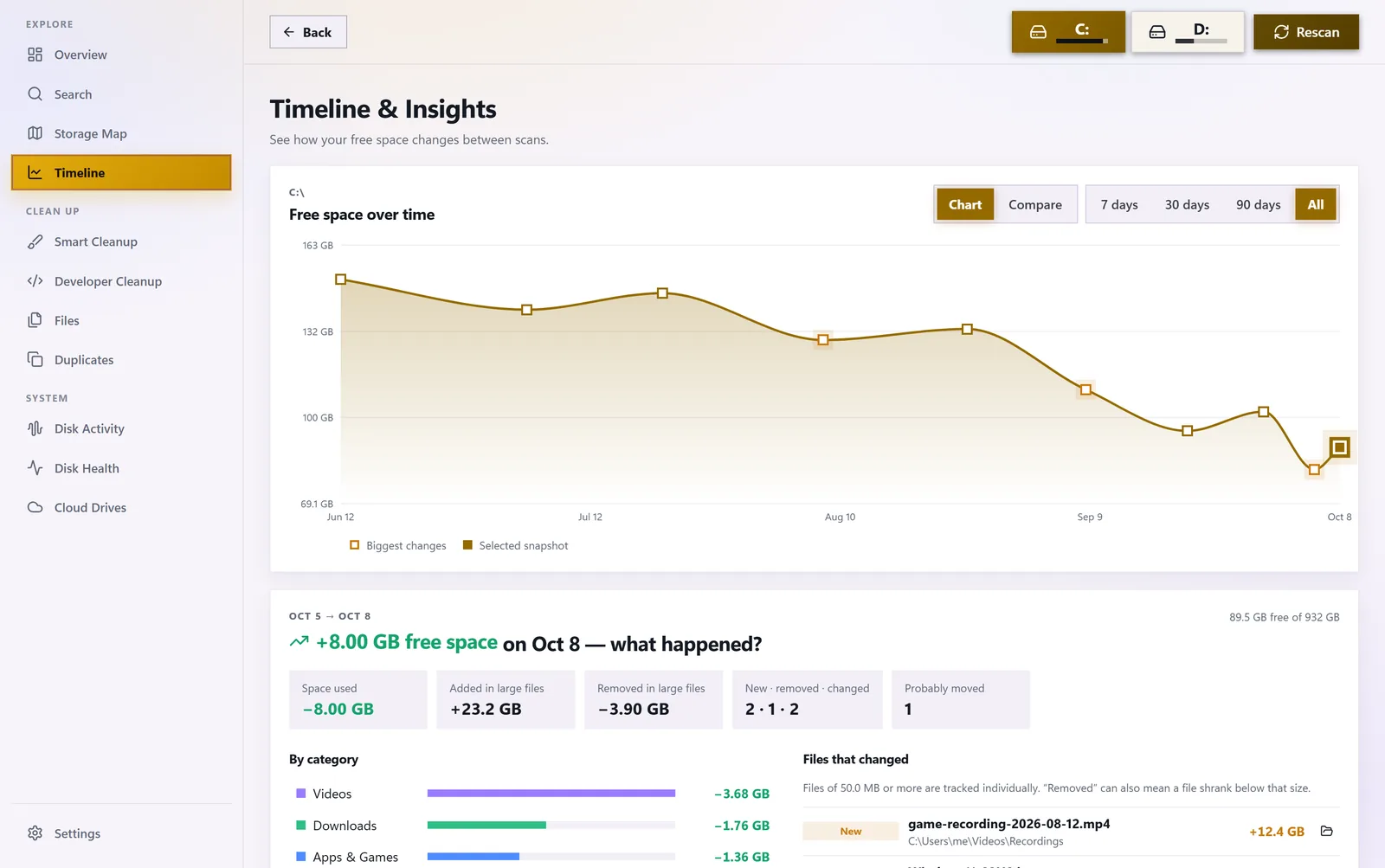
03 — TIMELINE
Know what changed — and when
Free space over time, changes since today, this week or the last scan, and a comparison of two scans.
- A notification when space runs low
- An alert when a folder suddenly grows by 10 GB or more
Interactive demo
Click a folder and look inside
Hover a block, click to go deeper, use the path at the top to go back.
Size: —Files: —Sample data — the real app scans your drives.
Tools
Find everything that takes up space
Eight views in one app.
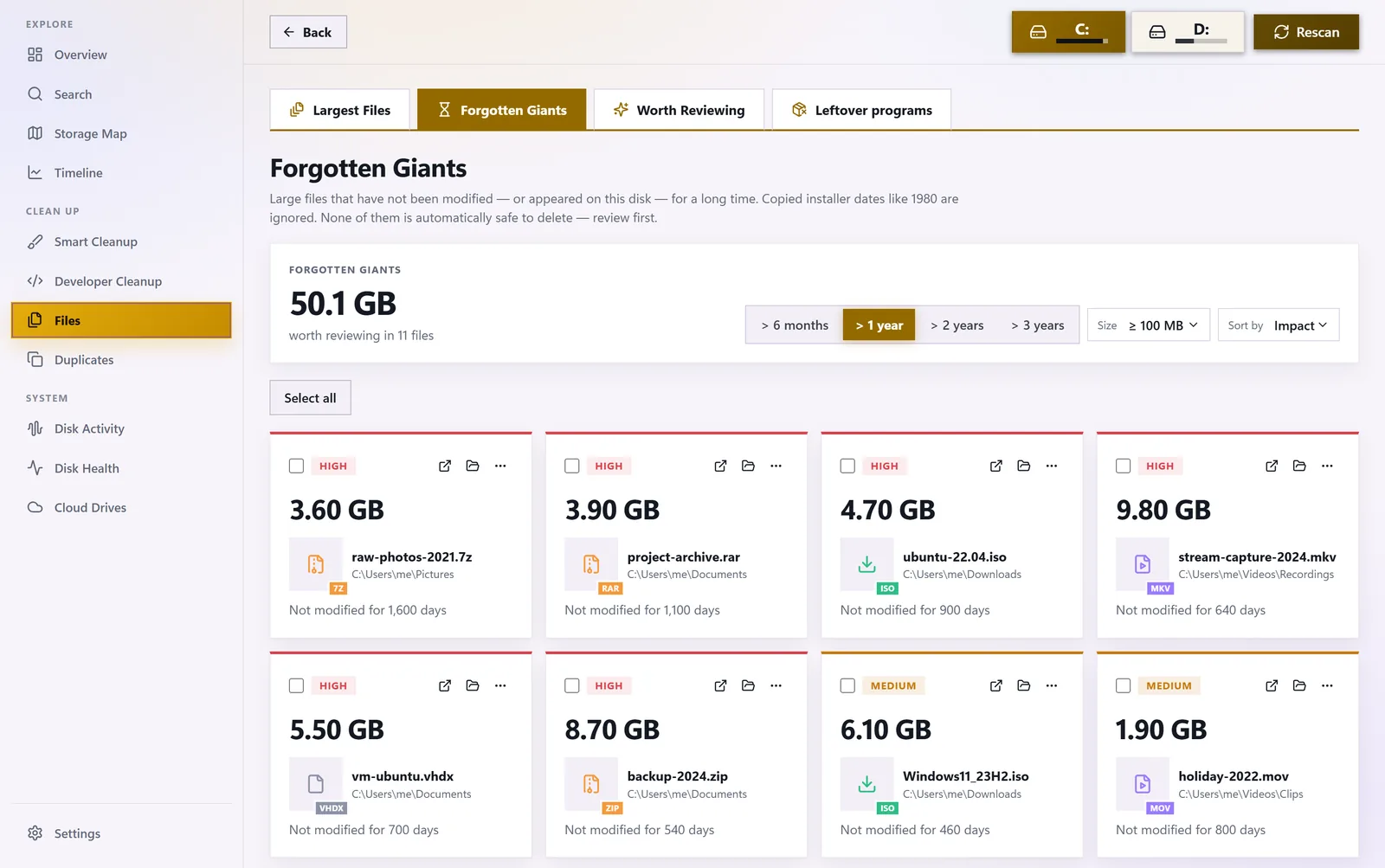

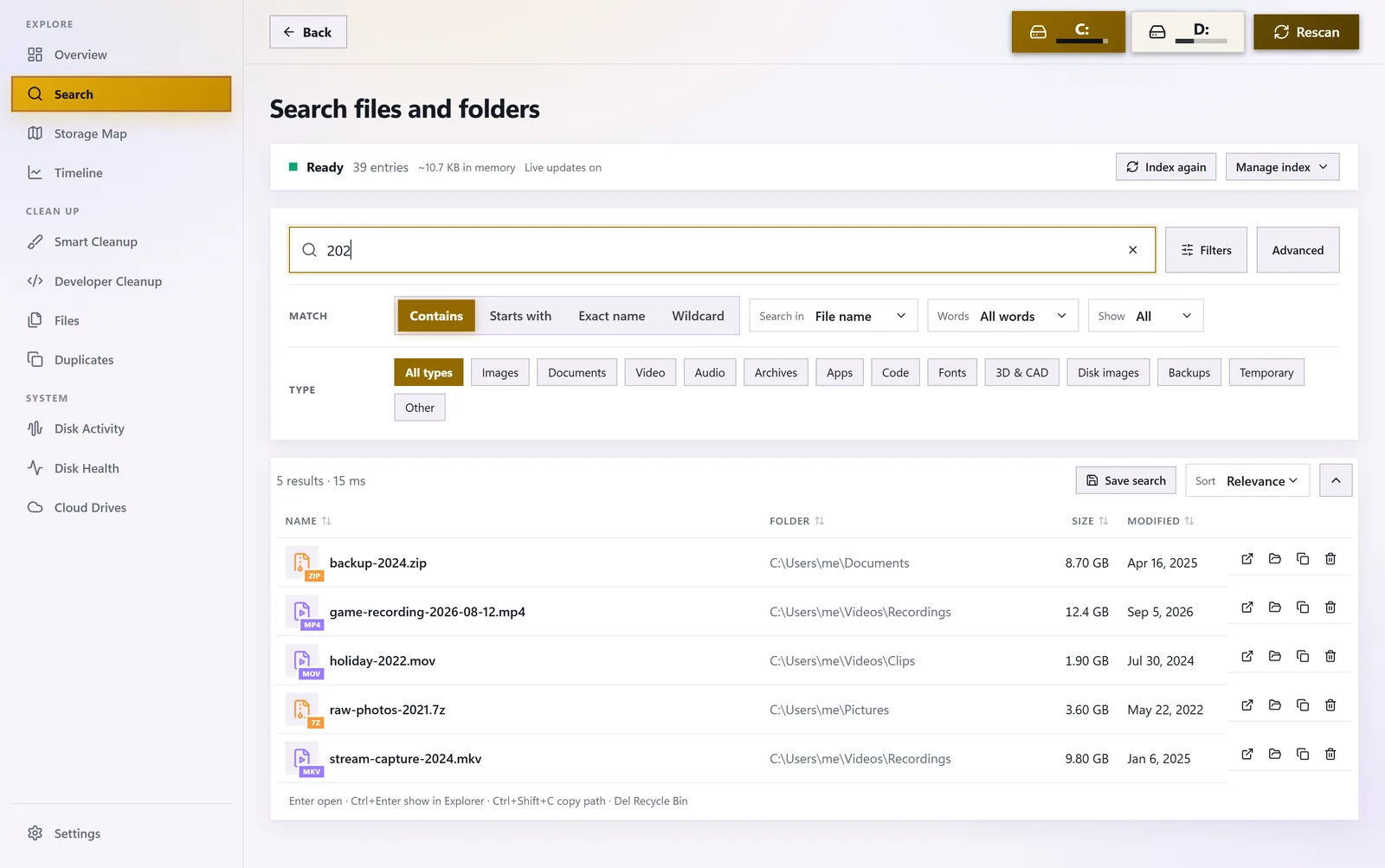
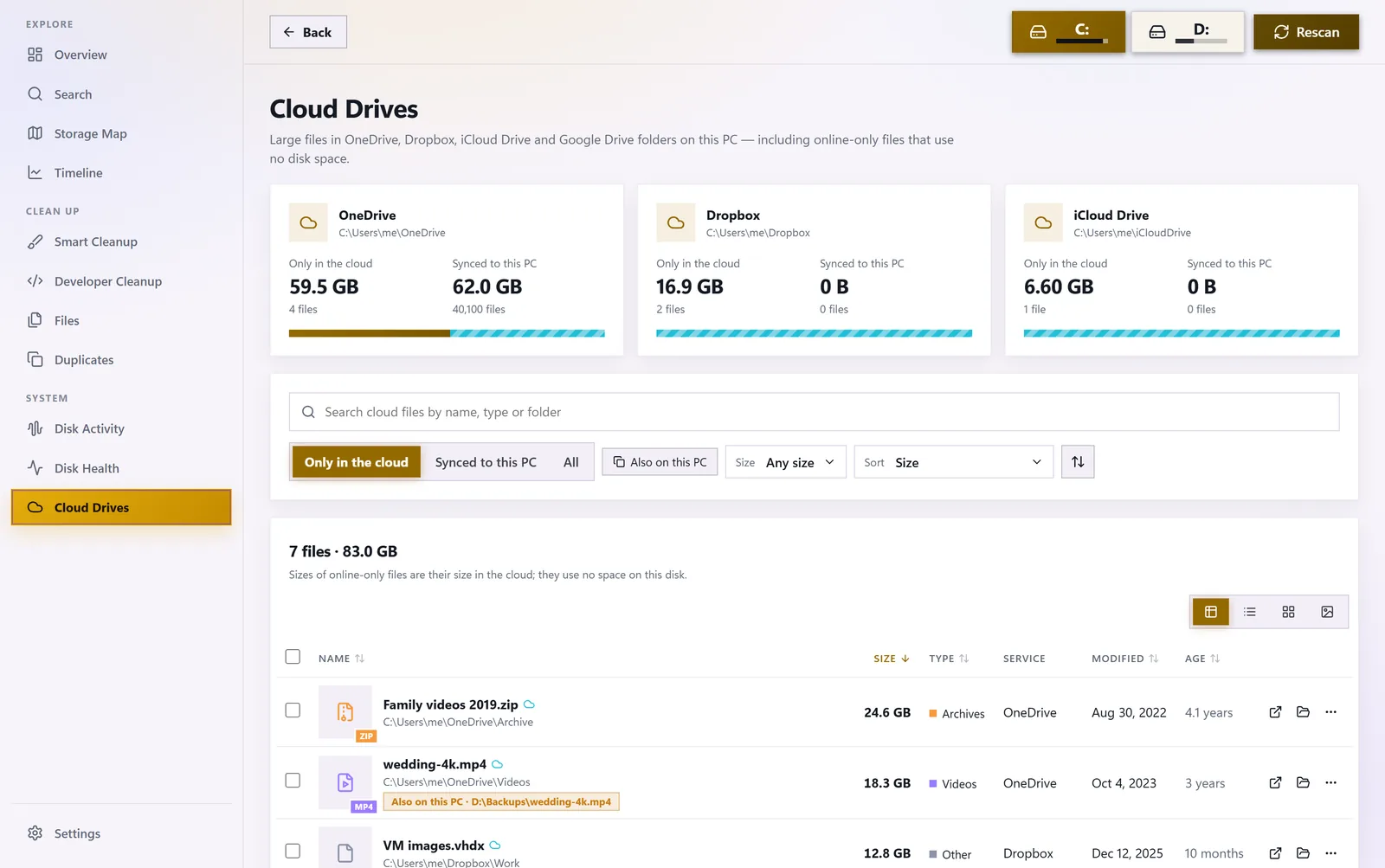
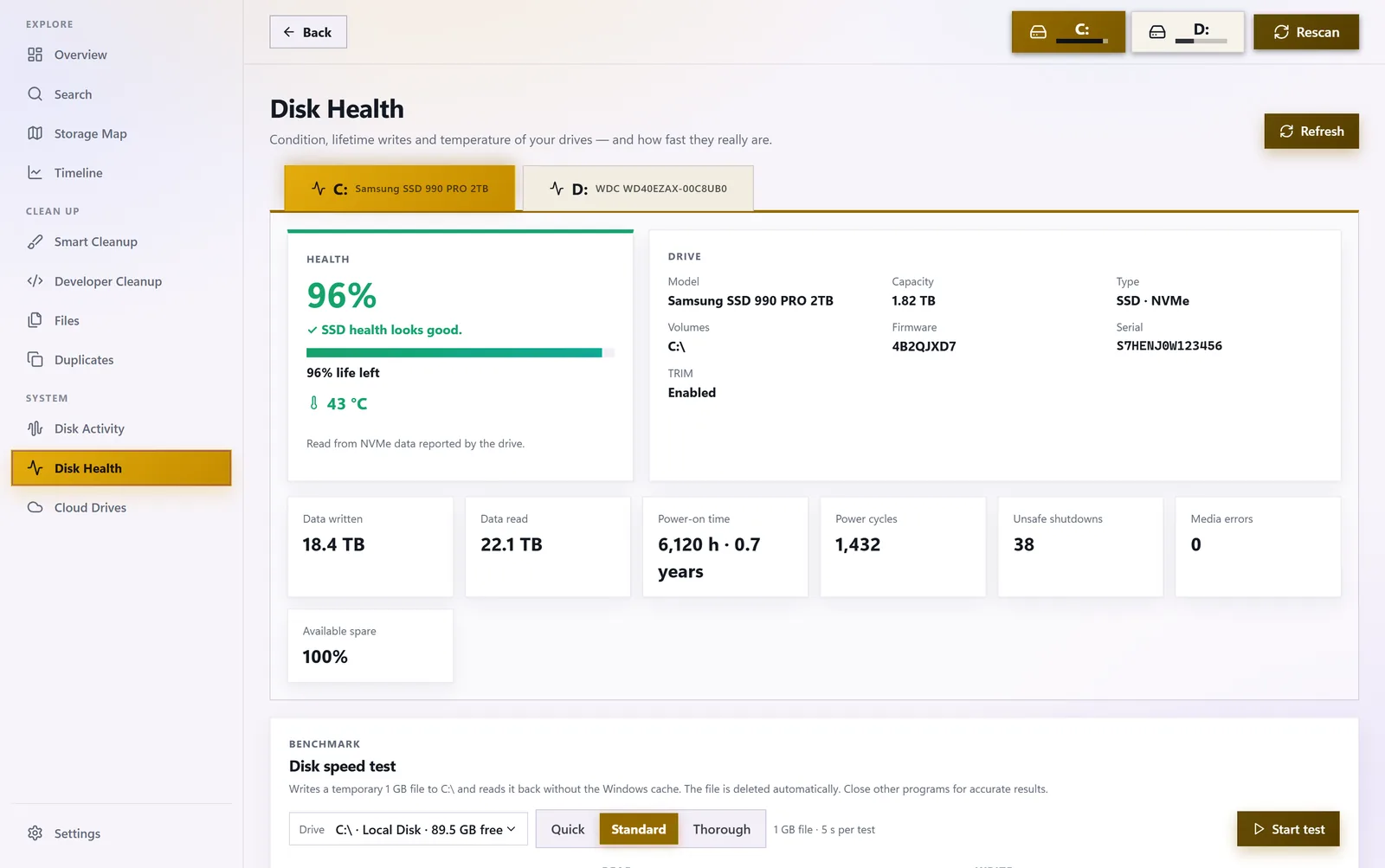
All features
A complete toolkit for a tidy disk
Analysis, cleanup, search and monitoring — in one private app.
Storage map of every folder: by folders or file types
Donut chart: apps, videos, documents, downloads, photos and more
Smart cleanup of temporary files, caches, crash dumps, installers and program leftovers
Your files go to the Recycle Bin; nothing disappears without being shown first
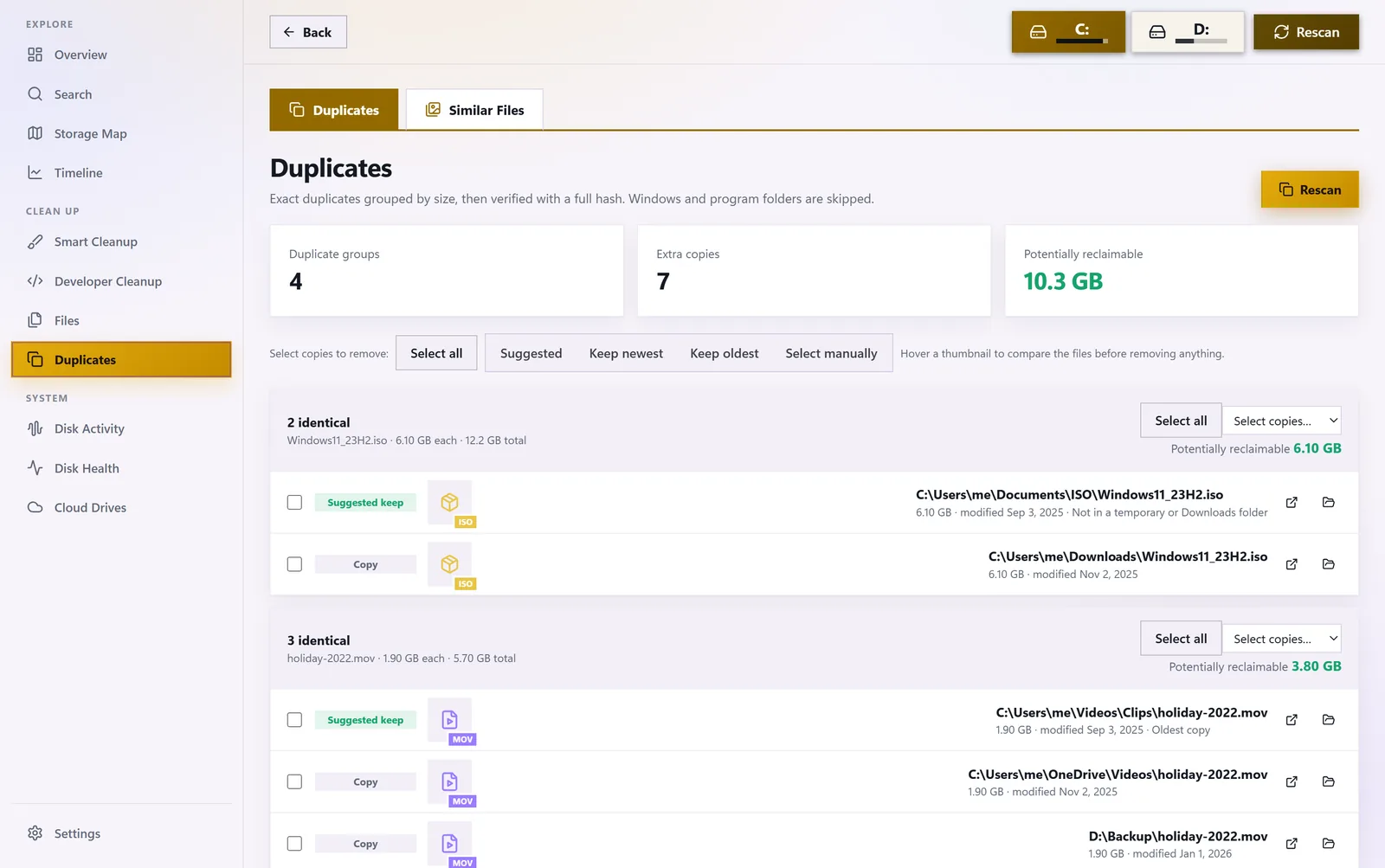
Duplicate finder verified by a full content hash
Similar photos and videos in a separate view
Largest files and Forgotten giants untouched for months or years
Instant search over a private index of file and folder names
Free space timeline comparing today, this week and any two scans
A notification when a folder suddenly grows or the disk runs low on space
Disk health: status, remaining life, temperature and power-on time
Built-in disk speed test
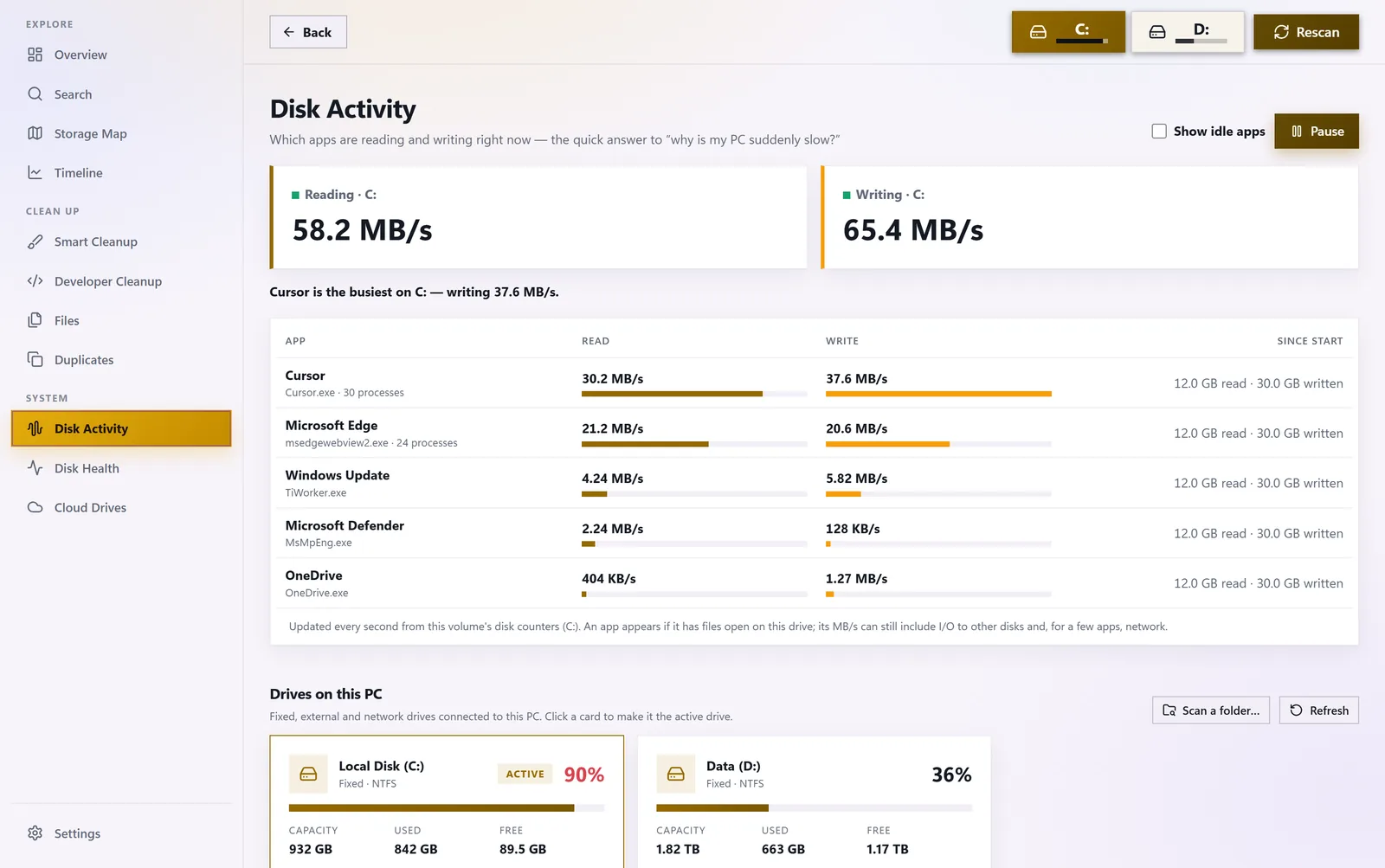
Disk activity: live reads and writes for every program
Cloud drives: OneDrive, Dropbox, iCloud and Google Drive
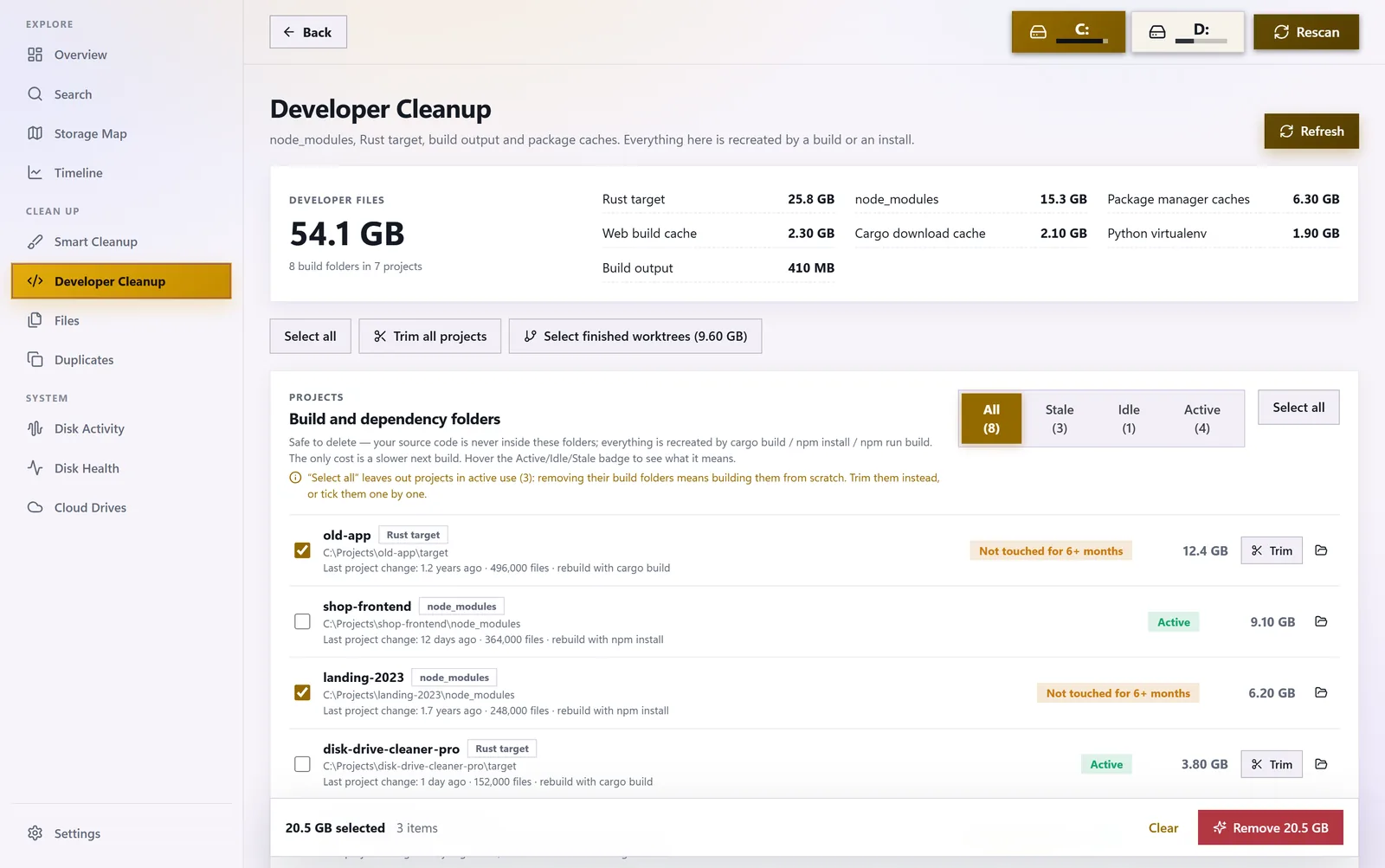
Developer cleanup: Rust and JavaScript projects, finished git worktrees
Optional weekly cleanup with history
Scheduled background scans from the system tray
Runs with standard permissions: never asks for administrator rights
Private: no account, ads or telemetry, nothing is sent
25 languages, light, dimmed and dark themes, screen reader support
Gallery
Disk Drive Cleaner Pro in action
Specs
Requirements & details
| System | Windows 10 and Windows 11, 64-bit |
|---|---|
| Drives | SSD, HDD, external drives; OneDrive, Dropbox, iCloud, Google Drive |
| Permissions | Standard user account — no administrator |
| Safety | Deletes to the Recycle Bin, skips caches of running programs |
| Languages | 25, including English and PolishShow all languages
|
| Themes | Light, dimmed and dark, with accent colours |
| Accessibility | Keyboard and screen reader support |
| Privacy | No account, ads or telemetry; history in a local database |
| Distribution | Microsoft Store, automatic updates |
FAQ
Frequently asked questions
Could I accidentally delete something important?
No. You see every item before removal, and files go to the Recycle Bin.
Why doesn’t it need administrator rights?
It runs with standard permissions — safer for your system.
How does the app find duplicates?
It compares a full content hash, so it only finds truly identical files — whatever their names.
Can I free up space used by OneDrive?
Yes. You can free downloaded files locally while keeping them in the cloud.
Does the app send my data anywhere?
No. Scan history stays in a local database.
I am a developer — what do I get?
It clears Rust and JavaScript build caches without deleting whole folders, so projects still build fast. Unused projects and finished git worktrees can be removed entirely.
More from Weedsee
You may also like

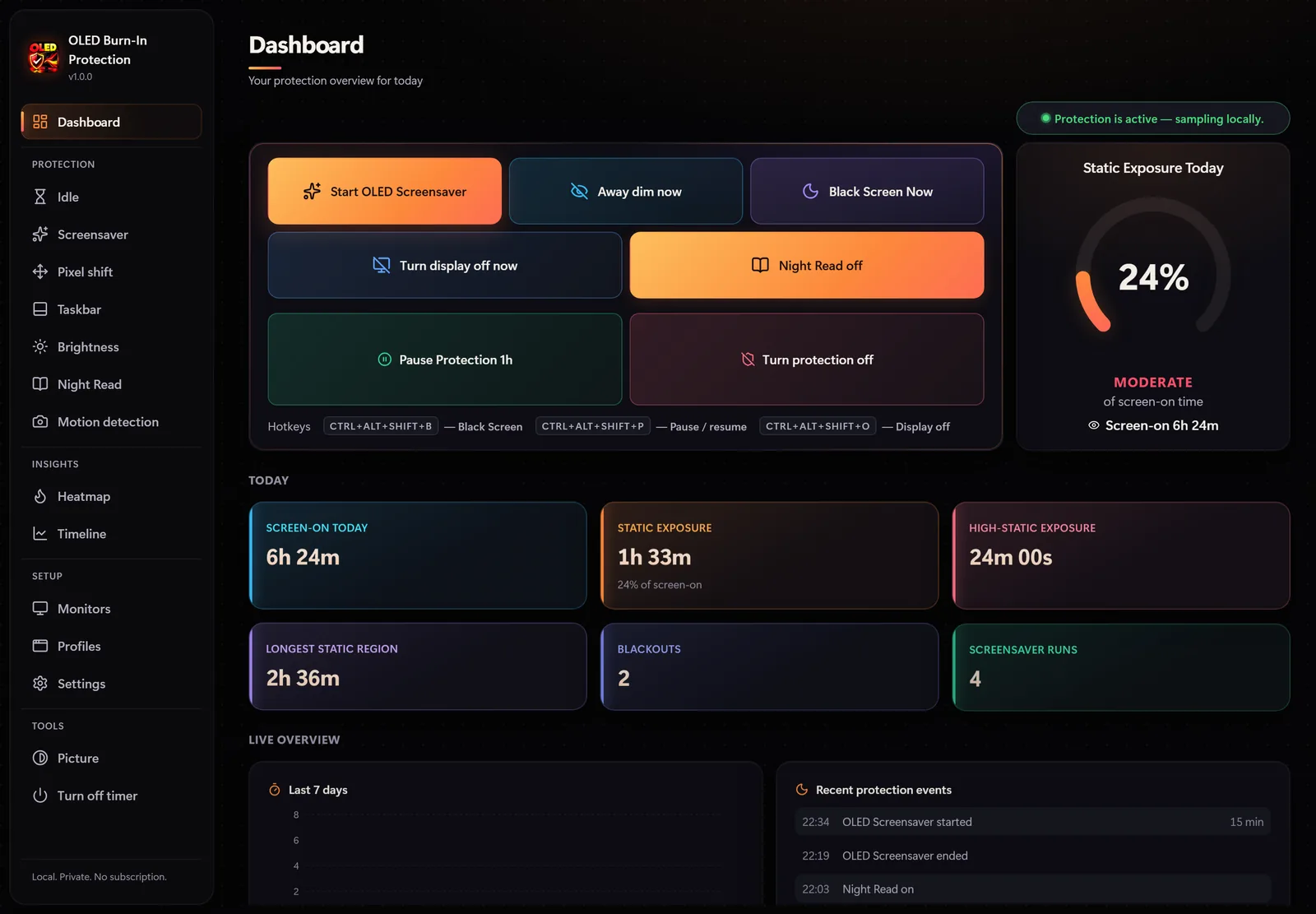

OLED Burn-In Protection
Screen protectionA heatmap of static screen areas, 20 OLED screensavers, pixel shift and taskbar protection.
Microsoft Store$12.99Details
Disk Drive Cleaner Pro